 Last Updated : 20 MAY 2026 (v19.0.0.1.0)
Advanced Order Line Numbering & Sequence
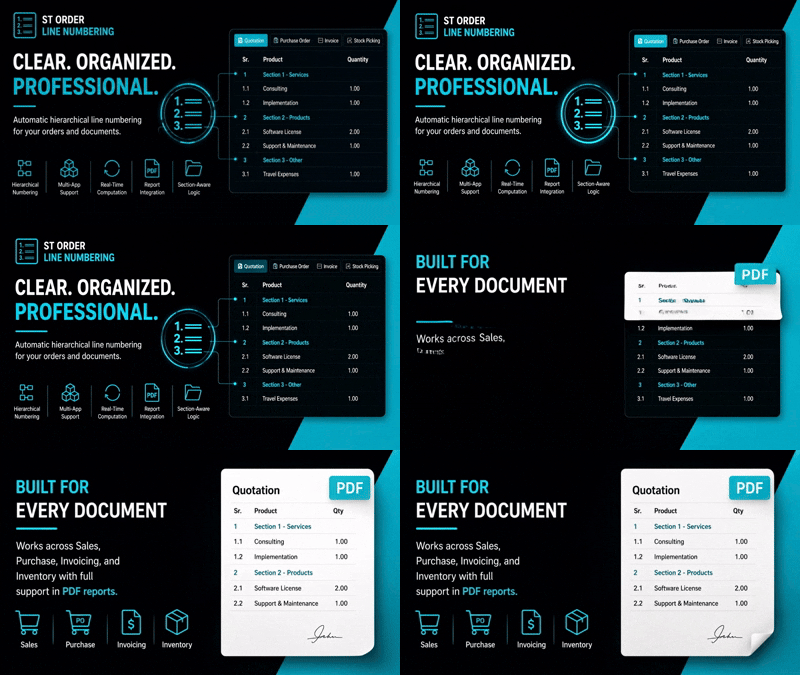
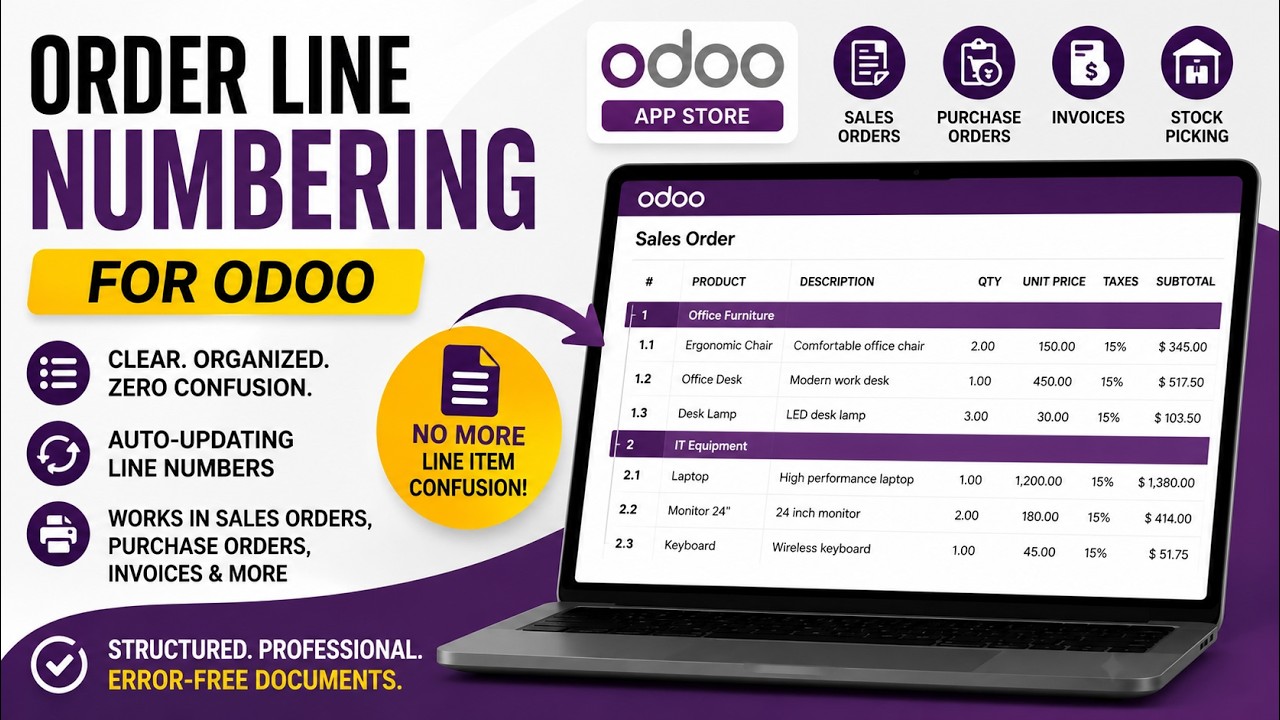
Hierarchical line numbering for Sales, Purchase, Invoices, and Stock Pickings.
Adds section-based line numbering to Sales Orders, Purchase Orders, Delivery Orders, and Invoices.
Automatically updates sequences when lines are rearranged and seamlessly displays on views and PDF reports.
How it works
- Install the application to enable numbering across supported models.
- Open any Sales Order, Purchase Order, Delivery, or Invoice.
- Add sections and product lines. The module will auto-assign numbers (e.g., 1.1, 1.2) based on the section hierarchy.
- Rearrange lines by dragging and dropping; the sequences update automatically.
- Print the PDF report to see the well-structured numbering on documents.
Version 19.0.0.1.0
|
Released on : 20th May, 2026
Yes, this app works perfectly with both Odoo Community and
Enterprise editions.
Yes, we provide support for any doubts,
queries, and bug fixing.
Yes, for customization requests, you can email us at
sales@serynto.com
or raise a ticket.
Support
Get Immediate support for any of your query
You will get support for any doubt, queries, and bug fixing
(excluding data recovery) or any type of issue related to this module.
WRITE TO US AT :
sales@serynto.com
For any help and doubt or issue regarding the module, Drop a mail to
our
technical team.
RAISE A TICKET AT :
https://serynto.com/helpdesk
For support or to request customization, Create A Support Ticket by
copying the link and opening it in a new tab.