Skip to Content
Live Chat Enhancement | Chat Routing, Agent Transfer & Notifications | Live Chat Management | Helpdesk Chat | Advanced Live Chat Operations | Broadcasting & Notifications | Custom Chat Notifications | Visitor Tracking

Live Chat Enhancement | Chat Routing, Agent Transfer & Notifications | Live Chat Management | Helpdesk Chat | Advanced Live Chat Operations | Broadcasting & Notifications | Custom Chat Notifications | Visitor Tracking

Smart Chat Broadcasting, Agent Transfers, and Custom Notification Sounds.

₹ 4,700.00

Author Serynto Technologies
Technical Name st_live_chat_enhancement
License OPL-1
Versions 18.0 19.0
Last Updated : 20 MAY 2026 (v19.0.0.1.0)

Live Chat Enhancement

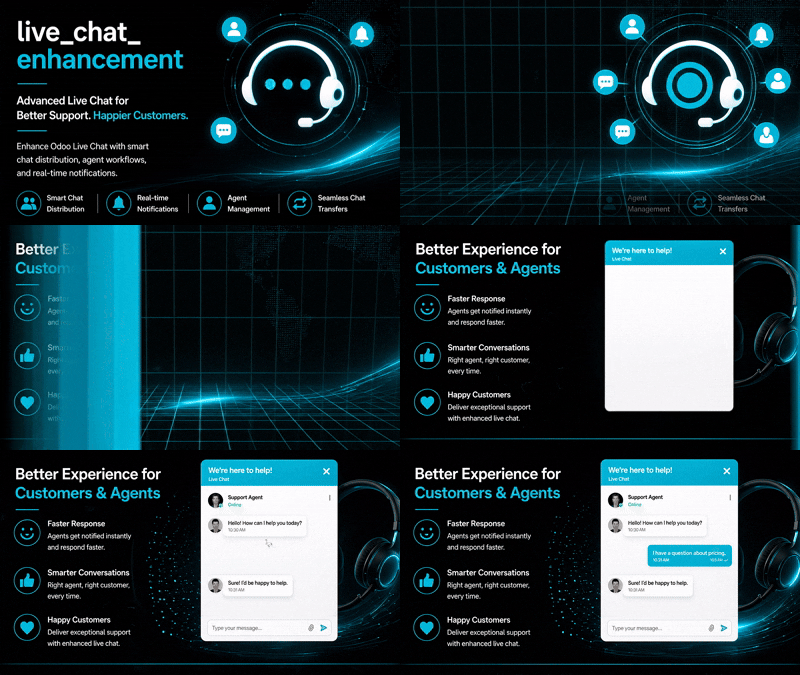
Never miss an incoming customer chat with call-style notifications, chat ownership controls, and team collaboration features for Odoo 19.

Transform Odoo Live Chat into a true customer support and CRM communication platform. Instead of a simple notification, incoming visitor chats trigger a persistent call-style ringtone that continues until a team member accepts or rejects the conversation.

The module introduces chat assignment, transfer workflows, ownership controls, and advanced search capabilities, ensuring customer inquiries are handled by the right person from the very first message.

Why Use This Module?

Never Miss Chats

When a website visitor starts a conversation, the assigned team receives a continuous ringtone similar to an incoming phone call.

Clear Chat Ownership

Once a chat is accepted, it becomes assigned to that team member, preventing multiple agents from responding simultaneously and creating confusion for the customer.

Smart Chat Transfer

Support agents can transfer conversations to another team member when specialized knowledge or department-specific assistance is required.

Improved Team Collaboration

Transferred chats generate a new incoming notification for the receiving team member, who can accept or reject the chat assignment.

Fast Responses

The call-style notification system encourages immediate action and reduces the risk of unattended website visitors.

Common Use Cases & Benefits

Common Use Cases

  • Assign incoming leads to the appropriate salesperson and prevent duplicate responses from multiple team members.
  • Route technical, billing, or product-related inquiries to the correct specialist while maintaining ownership and accountability.
  • Ensure every chat has a clearly responsible team member from start to finish.
  • Transfer conversations to supervisors or specialized departments without losing chat history or customer context.

Benefits

  • Increases response rates for incoming website chats.
  • Reduces missed sales opportunities.
  • Prevents multiple agents from responding to the same visitor.
  • Creates clear ownership and accountability.
  • Improves customer experience with faster responses.
  • Simplifies chat routing and escalation processes.
  • Helps support and CRM teams work more efficiently.
  • Makes Odoo Live Chat behave more like a professional call-center solution.

How it works

  1. A website visitor starts a Live Chat.
  2. Assigned team members receive a persistent call-style notification with ringtone.
  3. 3. A team member can: * Accept the chat * Reject the chat
  4. Once accepted, the chat becomes assigned to that user.
  5. Only the assigned user can communicate with the customer.
  6. If necessary, the chat can be transferred to another team member.
  7. The receiving user receives a new ringtone notification and can accept or reject the transfer.
  8. All conversations can be searched using the customer's email address.

Key Features

Search conversations using customer email addresses
Fully integrated with Odoo Live Chat and Discuss
Prevent multiple agents from replying to the same conversation
Continuous call-style ringtone for incoming chats
Transfer chats between team members
Incoming ringtone and acceptance workflow for transferred chats
Only the assigned team member can respond to the customer
Automatic chat ownership assignment
Accept or reject incoming chat requests

Version 19.0.0.1.0 | Released on : 20th May, 2026

UPDATE Initial Release.
Yes, this app works perfectly with both Odoo Community and Enterprise editions.
Yes, we provide free support for any doubts, queries, and bug fixing.
Yes, for customization requests, you can email us at sales@serynto.com or raise a ticket.

Support

Get Immediate support for any of your query

You will get support for any doubt, queries, and bug fixing (excluding data recovery) or any type of issue related to this module.

WRITE TO US AT :

sales@serynto.com

For any help and doubt or issue regarding the module, Drop a mail to our technical team.

RAISE A TICKET AT :

https://serynto.com/helpdesk

For support or to request customization, Create A Support Ticket by copying the link and opening it in a new tab.