Expense Sheets
Record office and admin expenses in a monthly sheet, without purchase orders
₹ 3,760.00
Last Updated : 24 AUG 2026 (v19.0.1.0.0)
Expense Sheets
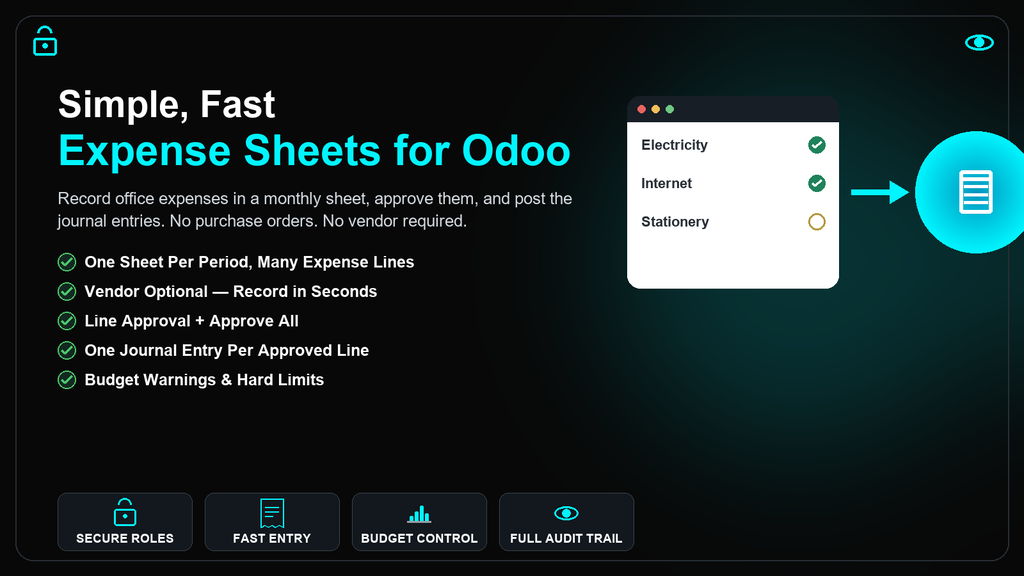
Record office and admin expenses in a monthly sheet, approve them, and post the journal entries — without purchase orders or vendors.
Electricity, internet, rent, tea and stationery are ordinary running costs that do not deserve a purchase order and a vendor bill each. Open one sheet for the period, type the expenses into an editable grid, and pick a category — the expense account and taxes fill themselves in. A vendor is entirely optional.
Every approved line posts as its own standard Odoo journal entry, linked both ways. Pay directly from a bank, cash, petty cash or credit card journal, or switch a line to Vendor Bill mode when a supplier tax invoice exists and input tax should be reclaimed. Nothing here replaces Odoo's accounting; it is standard account.move from end to end.
Why Use This Application?
No Purchase Orders, No Vendors
Record "Electricity, paid by bank" and nothing else. Vendor and attachment are optional per category, never forced.
Category-Driven Accounting
A category supplies the expense account and default taxes. Users never touch the chart of accounts.
Two Posting Modes
Direct Payment posts a misc entry. Vendor Bill posts a proper in_invoice so GST/input tax reaches your tax reporting.
Line & Sheet Approval
Approve one line at a time or the whole sheet in one click. Rejecting opens a small wizard for the reason — no hidden fields to fill in first.
Budget Control
Cap a category over a period. Expenses show a warning as the cap approaches, and can be blocked from approval at the limit.
Runs on Community
Depends only on Accounting, Analytic Accounting and Discuss — every one of them ships with Odoo Community.
Common Use Cases & Benefits
Common Use Cases
- Record fifty or more monthly office expenses in a single sheet instead of fifty separate documents.
- Pay a tea, stationery or cleaning expense straight from Petty Cash without any special handling.
- Post a GST-bearing internet or software bill as a proper vendor bill so input tax reaches your tax reporting.
- Let office rent and other standing charges generate as draft lines automatically every month.
- Cap category spend for the year and get warned, or blocked, before it is exceeded.
- Report expenses by branch or cost centre using Odoo's own analytic distribution.
Benefits
- Eliminates the purchase order and vendor bill overhead for ordinary running costs.
- Every posted line is a standard
account.move— no parallel ledger, ever. - One entry per approved line, created and posted in a single batch.
- Idempotent posting with a proper reversal on reset, never a silent delete.
- Four dedicated security groups with record rules and full multi-company isolation.
- Petty Cash, Bank, Cash, UPI and Credit Card are all ordinary Odoo journals — nothing bespoke.
- Recurring templates never post on their own; every generated line still goes through approval.
How it works
- Create an Expense Sheet for the period, for example January 2026.
- Add lines in the editable grid: date, description, category, amount.
- Selecting a Category fills in the expense account and default taxes automatically.
- Leave the vendor blank for a direct payment, or set it and switch the line to Vendor Bill mode when GST credit applies.
- Submit the sheet — the approver is notified automatically.
- The approver clicks Approve on individual lines, or Approve All for the whole sheet, and rejects with a reason through a small wizard.
- An accountant clicks Post — one journal entry is created and posted per approved line, in a single batch.
- Open the linked journal entry directly from the line, or Reset a posted line to reverse it and correct a mistake.
Example
Tea from Petty Cash — Direct Payment
Category: Tea & Coffee · Amount: 350 · Paid With: Petty Cash. No vendor, no tax. Posting: Dr Tea & Coffee Expense 350 / Cr Petty Cash 350 — one misc entry, done.
Internet Bill with GST — Vendor Bill
Category: Internet · Base: 1,000 · GST 18%: 180 · Total: 1,180. Because input tax credit applies, this line is switched to Vendor Bill mode and posts as a proper vendor invoice against the supplier — reaching the same tax reporting as any other purchase.
Key Features
Expense Sheet & Lines
- One sheet per period, editable grid for fast entry
- Categories with account, tax and journal defaults
- Optional vendor, optional receipt, per category
- Duplicate a sheet, carrying every line as a fresh draft
Accounting & Tax
- Direct Payment or Vendor Bill, chosen per line
- Standard Odoo tax engine — never hand-rolled math
- One journal entry per line, batched and idempotent
- Reset a posted line for a clean reversal
Approval & Budget
- Line approval and Approve All in one click
- Reject with a reason, collected in a small wizard
- Budgets by category, period and analytic account
- Warning threshold or a hard block at the limit
Reporting & Automation
- Recurring templates generate drafts, monthly or yearly
- Branch and cost-centre reporting via analytic distribution
- Pivot and graph analysis by category, vendor or account
- Four security groups, record rules, multi-company
Version 19.0.1.0.0 | Released on : 24th August, 2026
Support
Get Immediate support for any of your query
You will get 90 days free support for any doubt, queries, and bug fixing (excluding data recovery) or any type of issue related to this module.
WRITE TO US AT :
sales@serynto.comFor any help and doubt or issue regarding the module, Drop a mail to our technical team.
RAISE A TICKET AT :
https://serynto.com/helpdeskFor support or to request customization, Create A Support Ticket by copying the link and opening it in a new tab.